Cross-platform UX strategy
Design system contributions
Usability testing
Stakeholder influence
Project Snapshot
Role: UX Designer (Android lead)
Scope: iOS & Android app
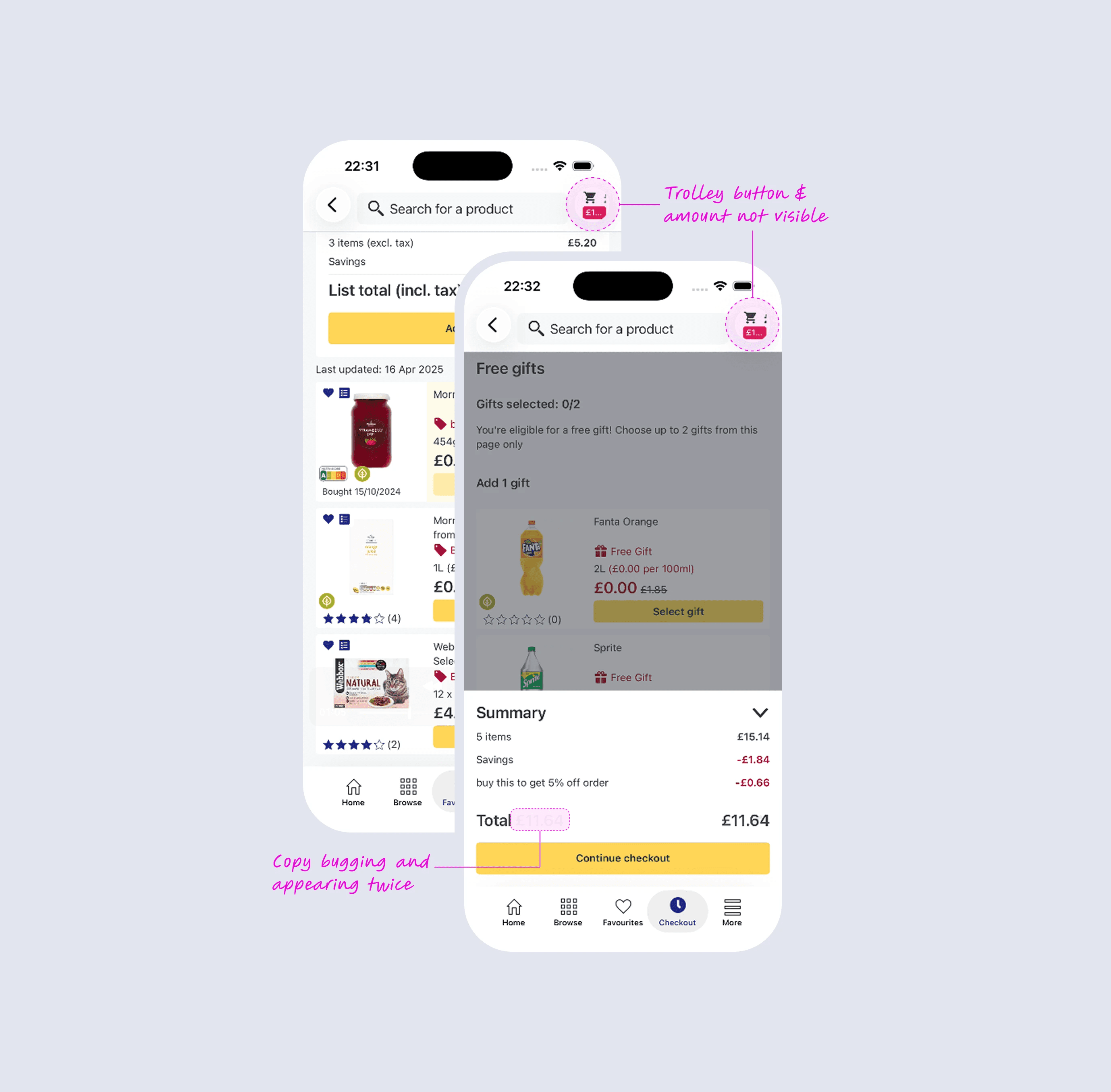
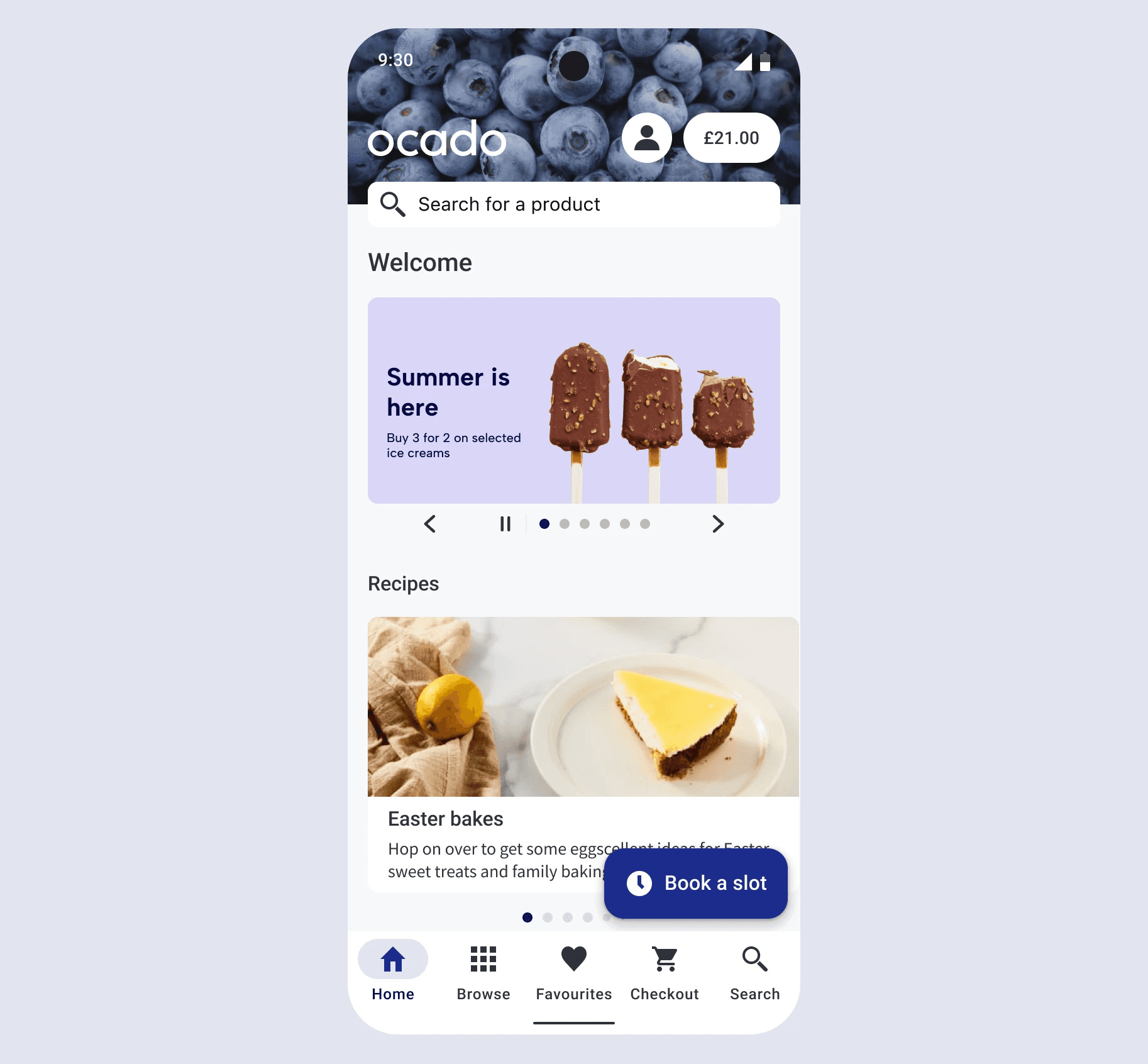
Apple’s Liquid Glass update exposed structural weaknesses in our app UI. Key elements (e.g. the trolley button) became unusable or invisible.
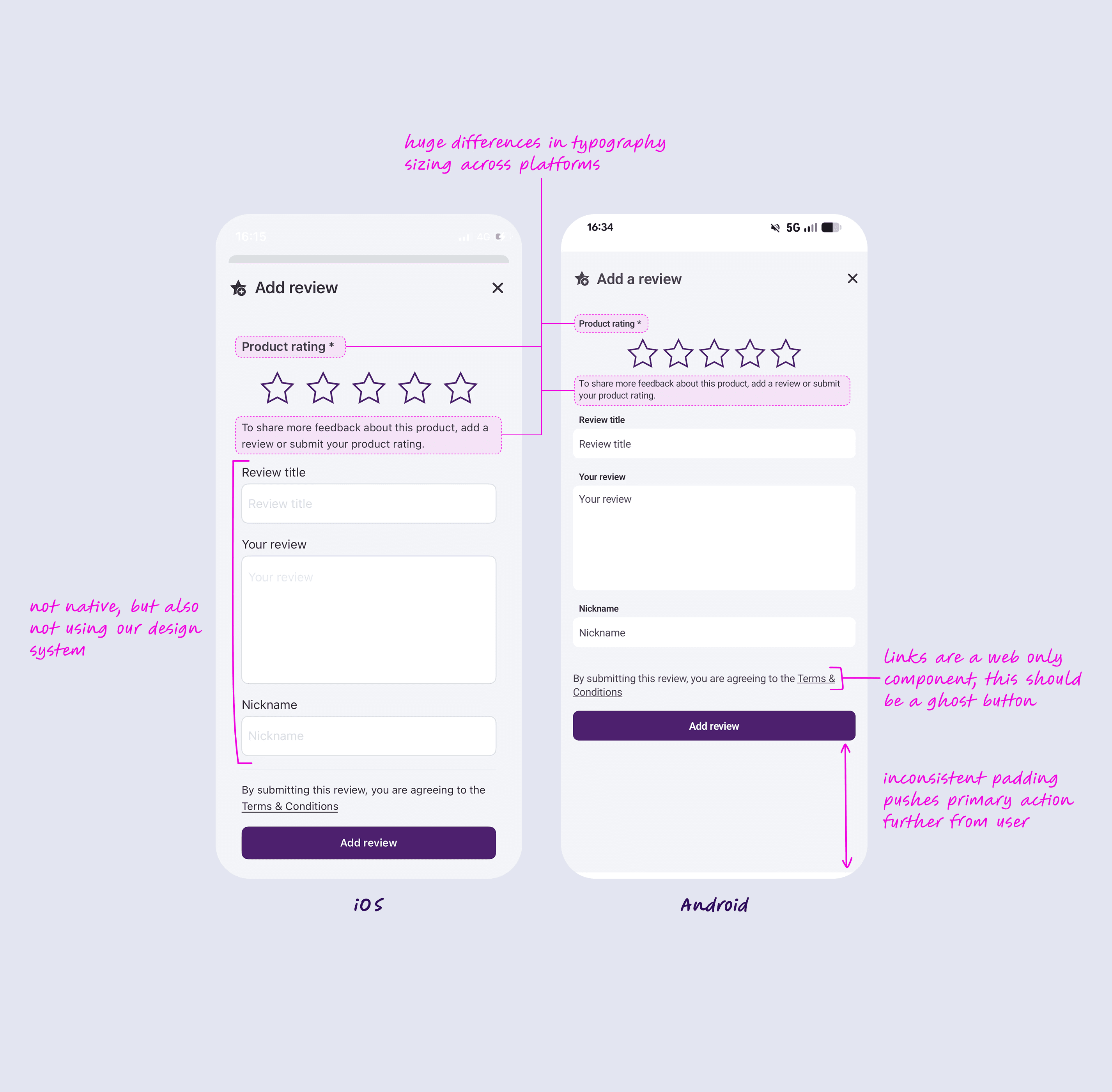
The issue wasn’t the update itself, but how our interface had been built. Many components were custom coded to mimic native patterns, the design system was underused, and the Android experience had drifted from iOS.
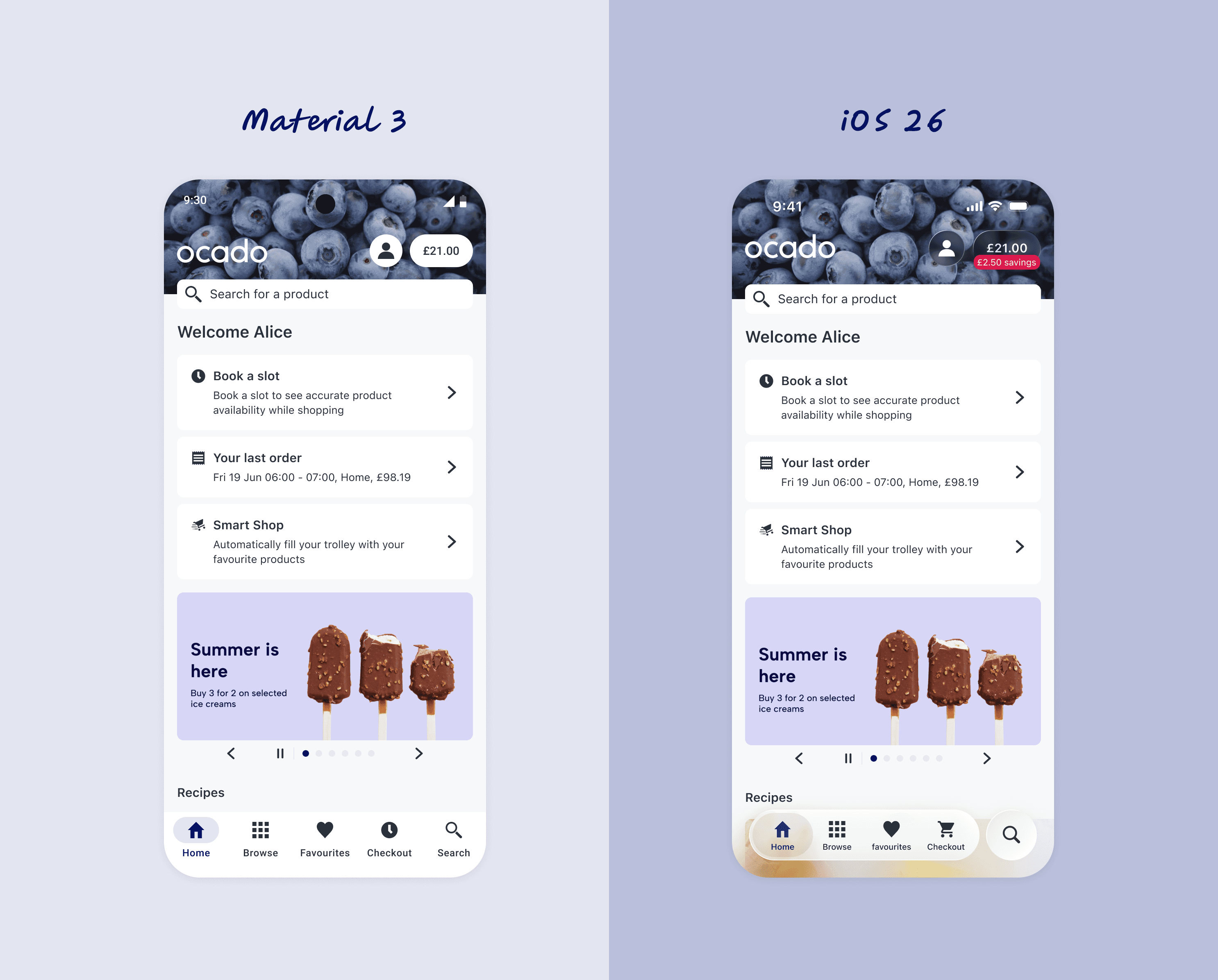
To address this, I worked alongside another designer to redesign the entire app experience (on both iOS & Android) around native platform components to reduce reliance on fragile custom UI. The goal was to create a more maintainable, platform-resilient foundation that could evolve with future OS updates.
Approach
Two designers split platform ownership.
I led Android
A second designer led iOS
I redesigned the entire Android app experience using native components and platform best practices, while defining how these patterns should integrate into the design system, and how it might align with iOS.
To help secure engineering support, I presented the Android proposal to ~200 stakeholders, gaining leadership approval to move the work into development.

Prioritisation & Validation
Engineering constraints required a phased rollout.
I audited the proposed changes and prioritised updates that would deliver the greatest usability improvements while minimising engineering risk.
For higher-risk changes (including search behaviour, minimum spend, and Android FAB patterns) I ran usability tests to validate the designs before development.
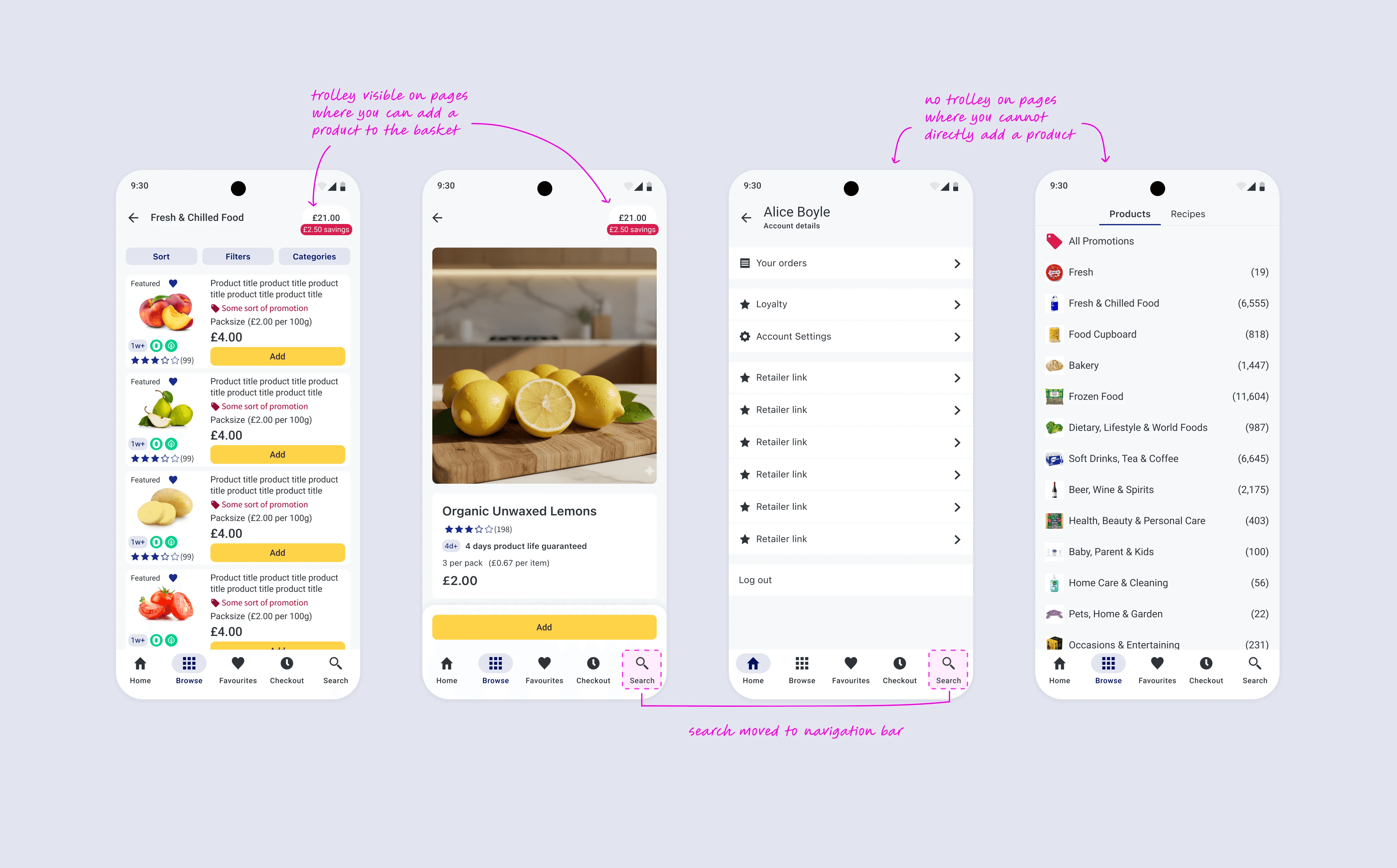
Phase 1: Navigation
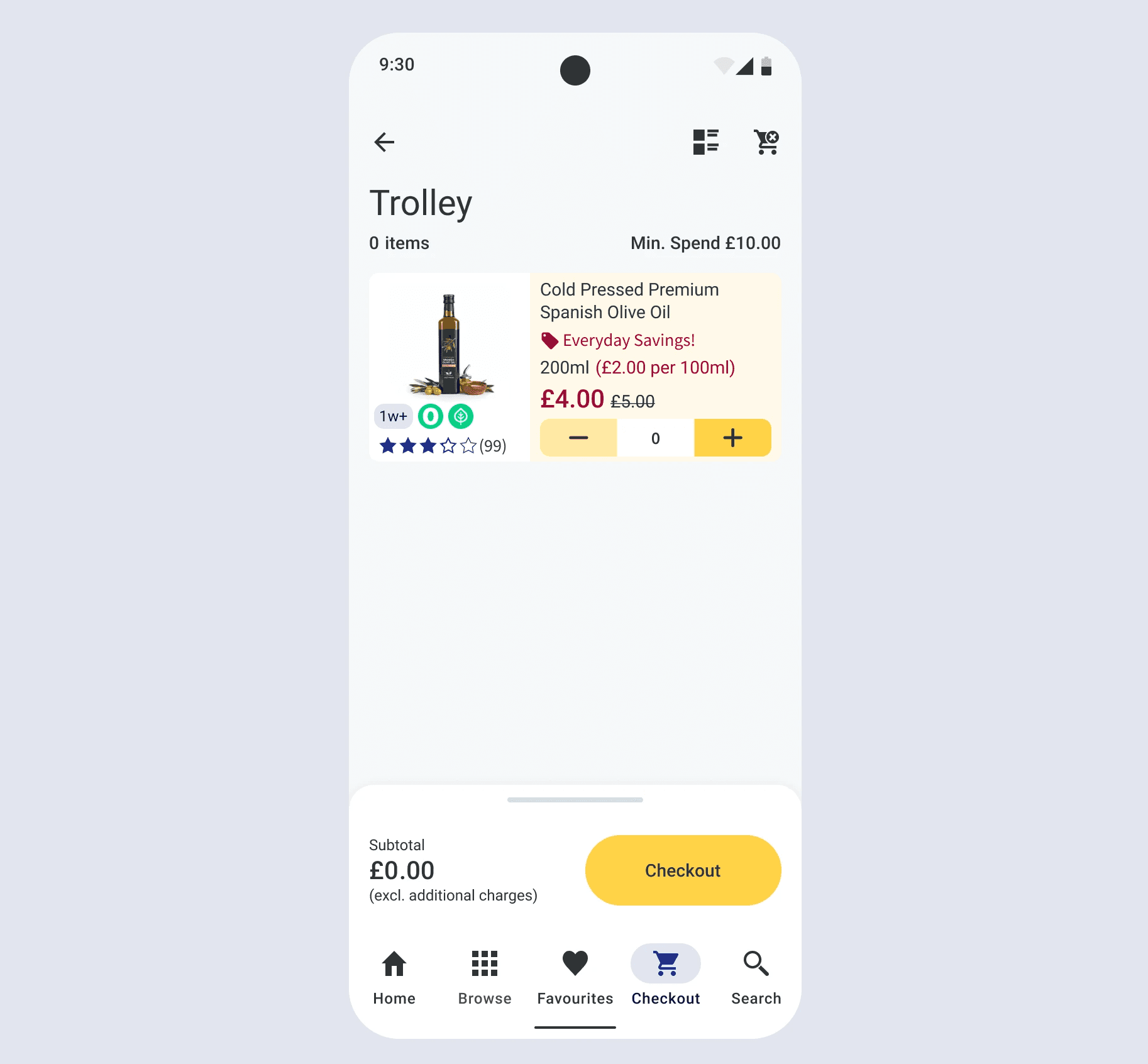
I prioritised headers and navigation for the first release because they were heavily reused across the app and offered the largest usability gains. Key changes:
Search moved to bottom navigation
Creates a consistent, easily accessible entry point aligned with platform patterns.Contextual trolley button
Now appears only where users can add products, reducing clutter and improving relevance.
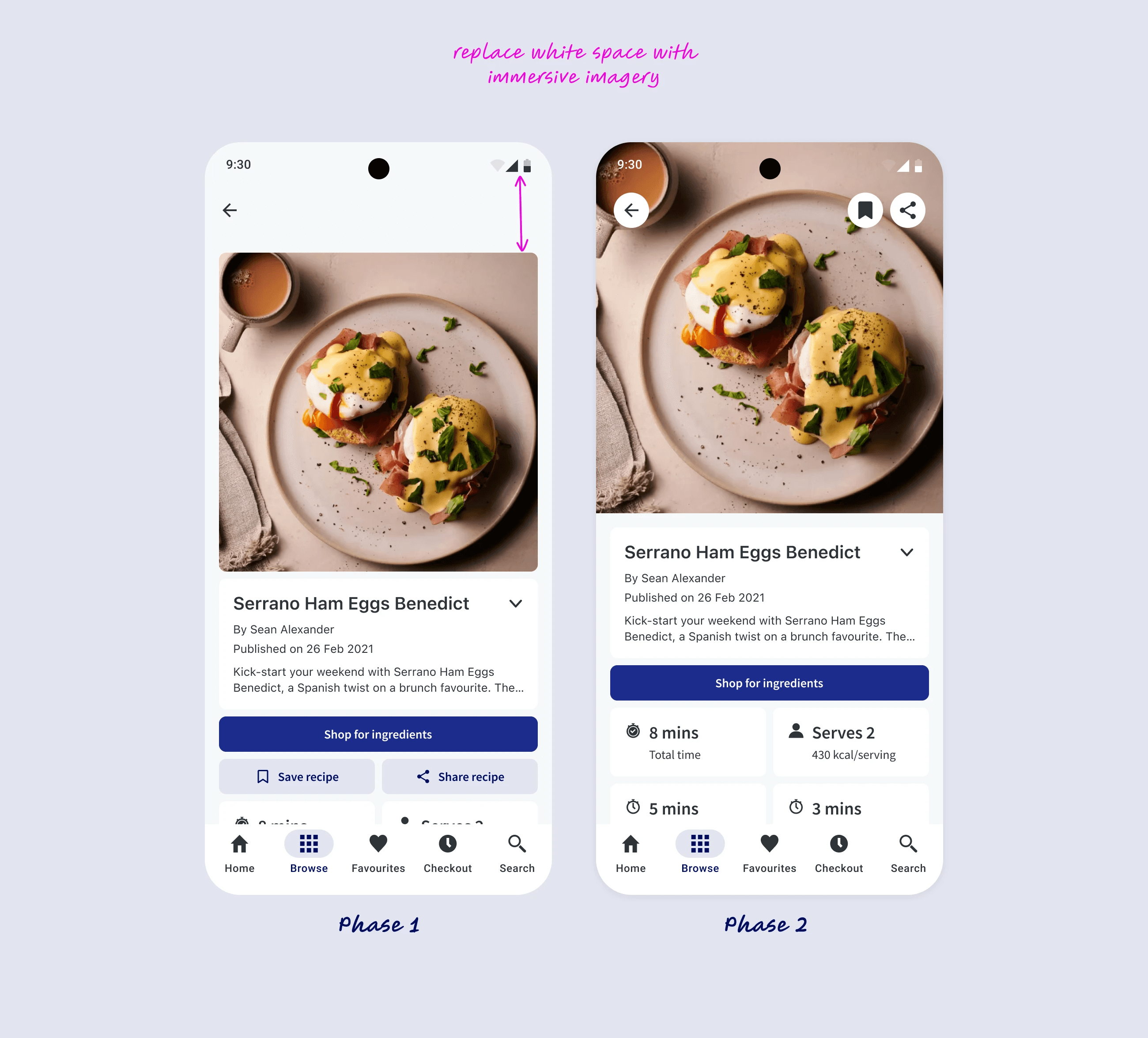
Phase 2 (upcoming)
Phase 2 builds on the header and navigation changes introduced in Phase 1. These updates require more validation and exploration, so they are planned as a follow-up phase.
Immersive imagery
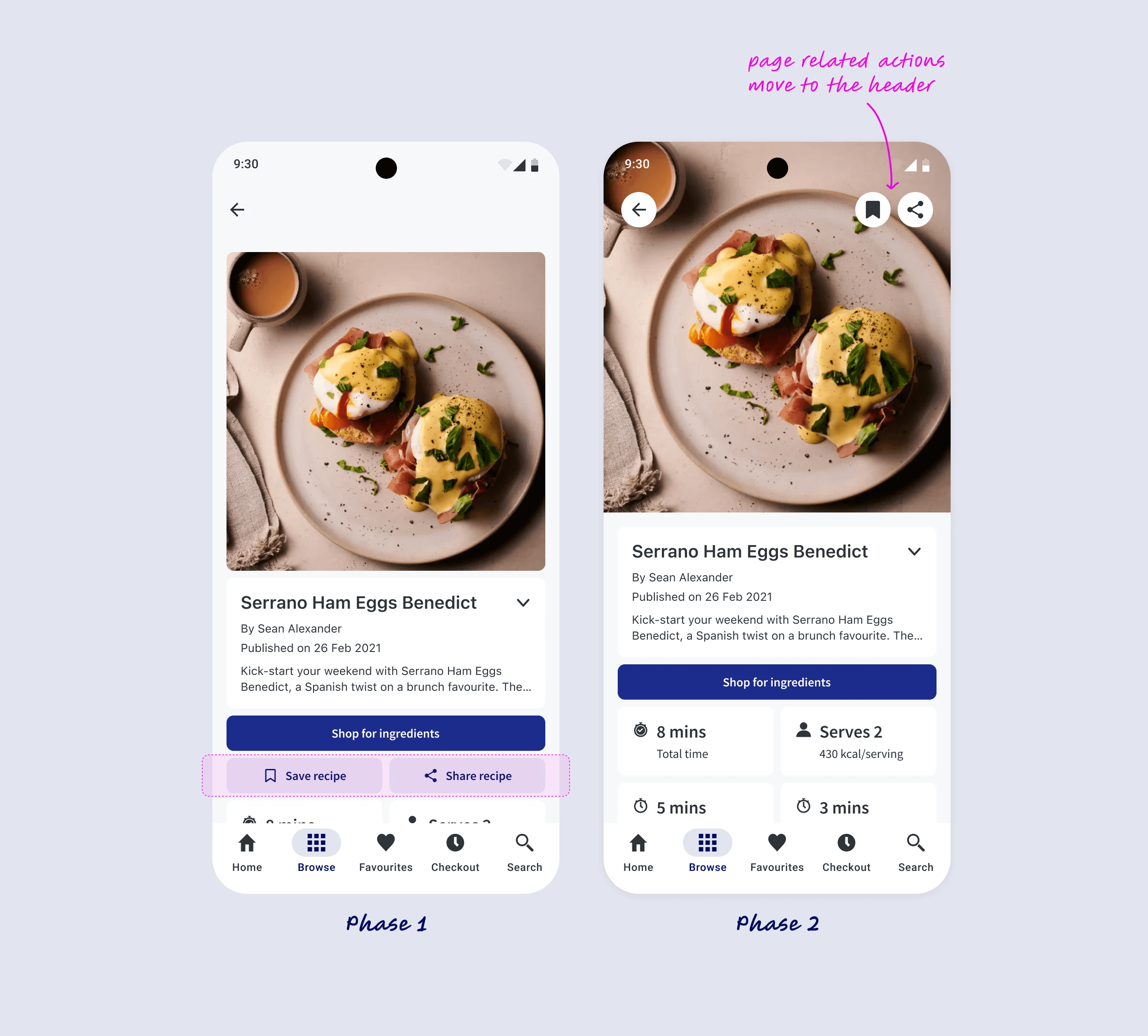
Introducing larger, more immersive imagery on content-heavy pages will shift the visual hierarchy and significantly elevate the overall look and feel of the app.Header-based page actions
Page-level actions (e.g. sort, filter, add to favourites, etc.) will move into the native header, aligning with iOS and Android best practices for contextual actions. This change requires more than a visual adjustment, as it affects how some of our features work, and how actions are prioritised and structured within each page, hence the decision to delay this change to Phase 2.
Current progress
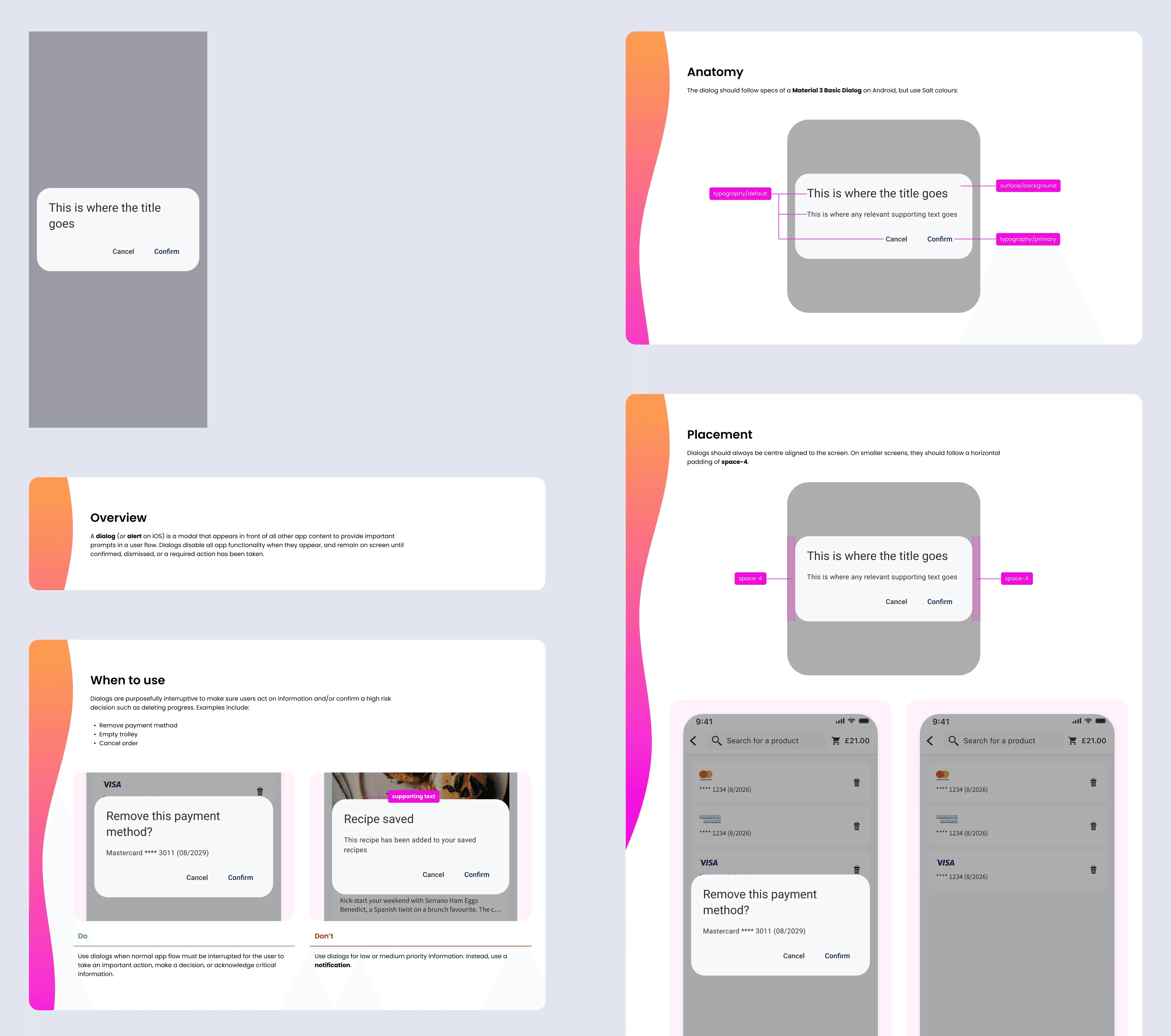
I’m building a native UI kit in Figma designed to integrate with our design system.
Components support platform modes (iOS, Android, Web) so designers can switch modes and automatically update to the correct native patterns.
I’m also documenting behaviours and working with engineers to prepare for implementation.
Phase 1 is now moving into development.
What this unlocks
Resilient UI
Native components reduce the risk of breakages from future OS updates.Faster cross-platform design
Platform modes allow designers to design once while maintaining native behaviour.A scalable foundation
Standardised navigation creates a base for future UX improvements.
Reflection
This project highlighted how quickly interfaces drift and become inconsistent when teams rely on custom components instead of platform conventions.
What initially appeared to be a problem caused by Apple’s Liquid Glass update was ultimately a systems issue: the UI had gradually diverged from both native patterns and our own design system.
Re-aligning the app with native components improved usability, but the more important outcome was creating a sustainable foundation for future development. Introducing platform ownership, standardising navigation patterns, and building platform modes into the UI kit enables teams to move faster while maintaining consistency across platforms.
The key takeaway was approaching the redesign as a system improvement rather than a visual update. Addressing the root causes (design system adoption, platform alignment, and component strategy) reduces long-term maintenance costs and helps prevent similar issues as the product evolves.
Other projects
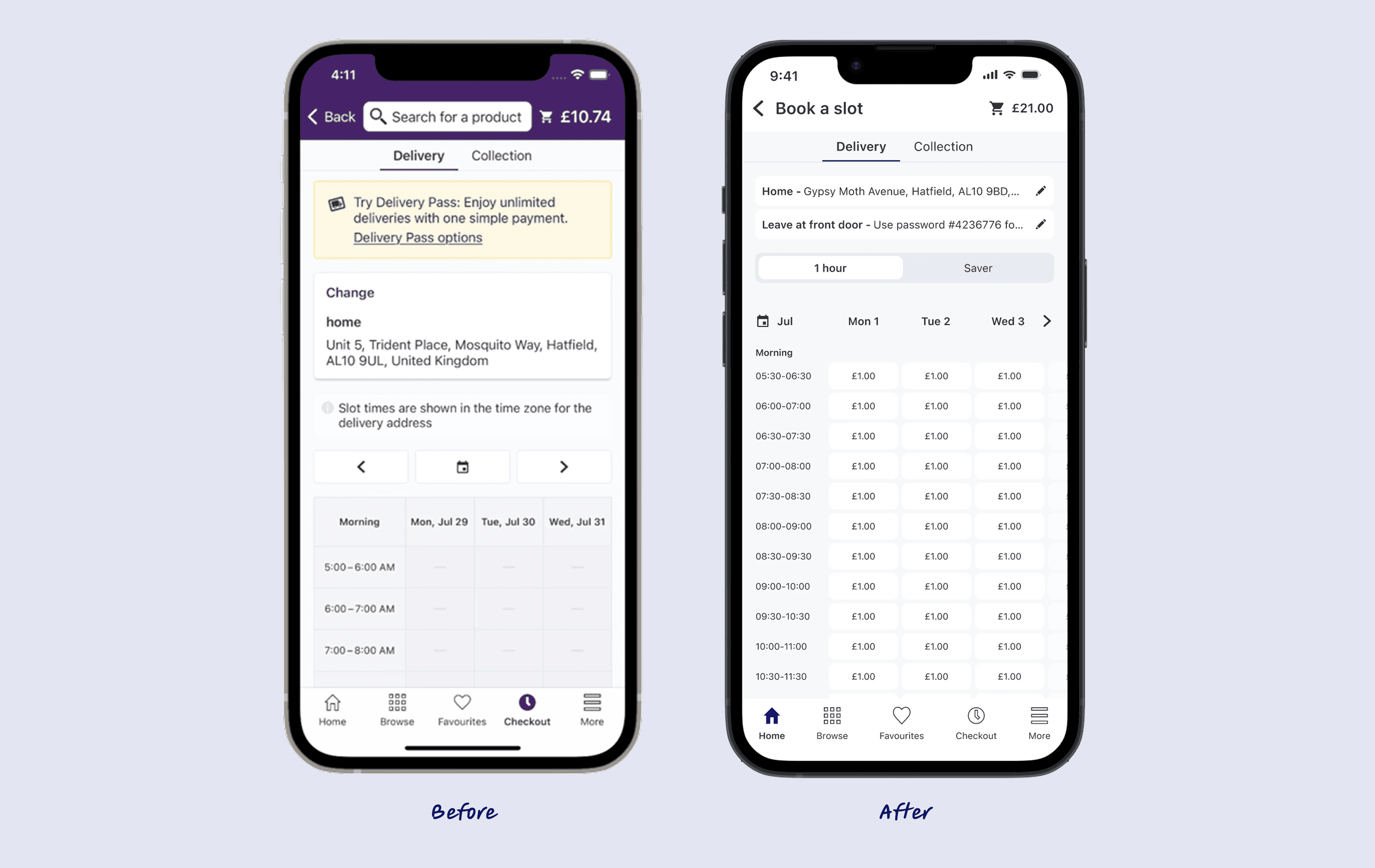
Book a Slot
Driving £3.9M–£16.3M in estimated annual revenue through a redesigned slot booking experience that boosts conversion, clarifies delivery options, and modernises the interface across platforms.

Homepage Experimentation
Leading cross-functional experiments to embed A/B testing and data-driven decisions, delivering measurable results including a 33% increase in homepage add-to-cart rate and higher average checkout value.